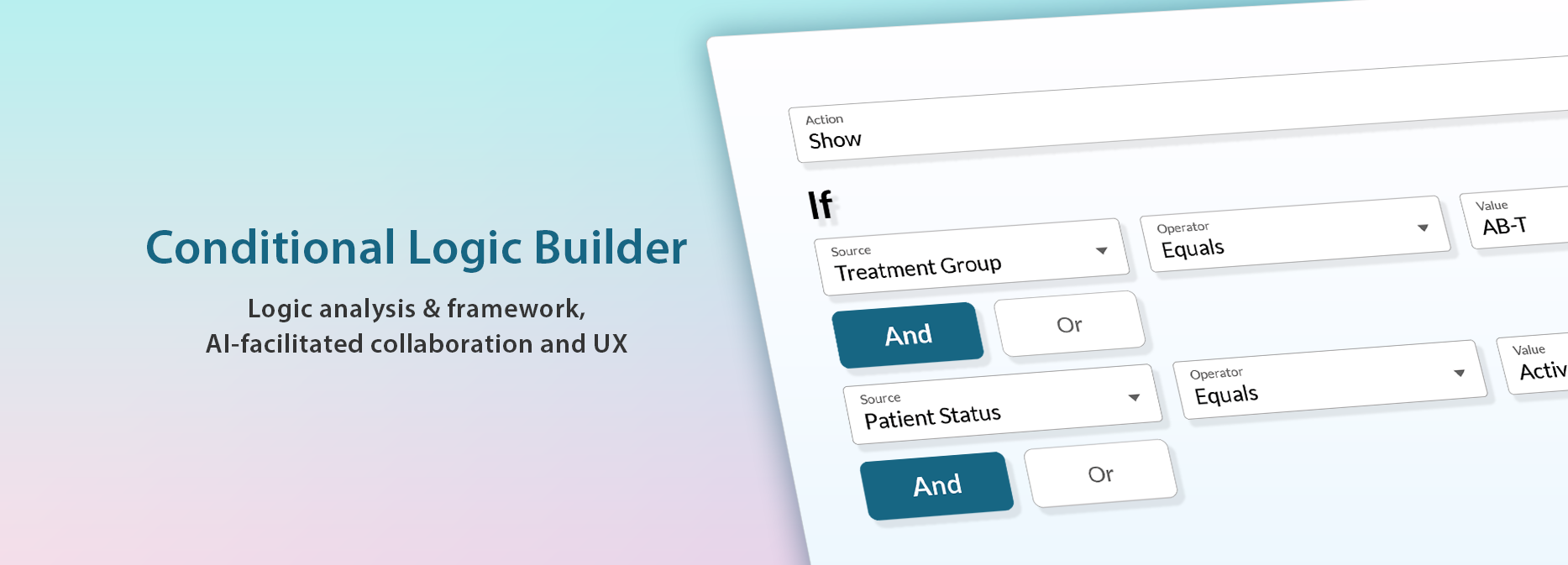
TASK
Develop a self-service logic configuration tool (as part of a Clinical Trial Management System) that allowed non-technical study teams to create and manage complex clinical trial logic independently from their development team, accelerating the study setup process and reducing costs.
The tool needed to be versatile to accommodate the unique requirements of a wide variety of clinical trials, yet intuitive for non-technical staff to use effectively without having specialized coding knowledge.
GOALS
Build conditional logic for visits schedules and forms without coding.
Define and render study, clinical site users and patient specific dynamic menus and interfaces.
Ensure Study Protocol is applied and strictly adhered to before, during and after a clinical trial.
Limit development effort to 20% of the study set-up use cases.
Accelerate study set-up and reduce costs.
Timeframe
2025 - 2026
Client
JAEB Center for Health Research
Role
Sr. UX/ UI Designer
CONDITIONAL LOGIC BUILDER - MY ROLE
Led team through ambiguity & complexity
Translated complex document-based specifications into validated logic scenarios.

Partnered with stakeholders, users, Product Management and Engineering and led requirements gathering and ideation.
Led the concept development and design for the Logic Builder and accelerated the feedback loop by co-creation and AI-assisted prototyping.
Influenced Product Strategy & Roadmap
Identified patterns and hidden complexities early.
Accelerated stakeholder sign-off by aligning the team on “how it works” (functional logic) before diving into “how it looks” (visual design).
Maximized user experience, design consistency and engineering efficiency
Improved the user experience by iterating and validating the desirability and feasibility of the solution.
Maximized existing component usage and achieved design consistency by exploring ideas and collaborating with engineering.
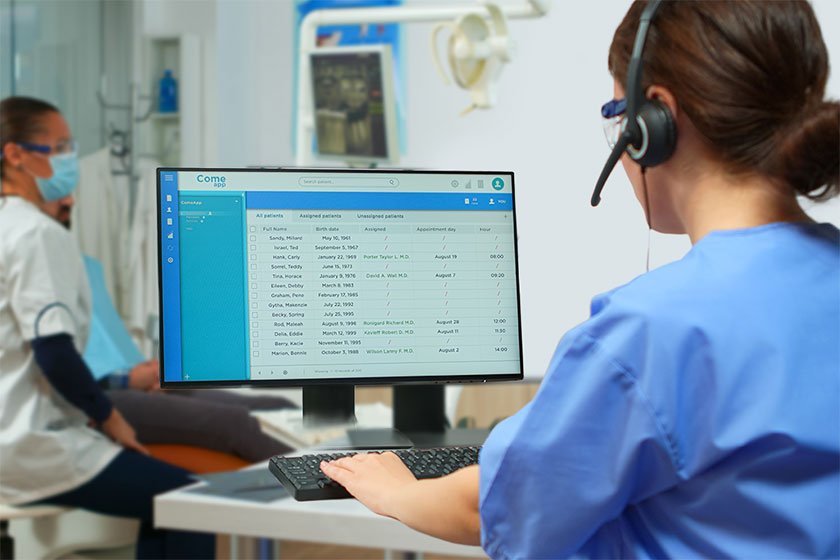
Self-service logic configuration tool for a Clinical Trial Management System (CTMS)
As a Sr. UX/ UI Designer, I led the end-to-end UX design for the Logic Builder tool and the entire CTMS system.
I successfully navigated large-scale, complex platform use cases and requirements for diverse internal and external users, highly regulated industry, tight deadlines and a geographically distributed team.
I balanced complex business requirements, technical constraints and an emphasis on usability.
CONDITIONAL LOGIC BUILDER - PROCESS & SOLUTION
Led team from ambiguity to actionable design direction
Facilitated regular discovery sessions with stakeholders and users
Synthesized research and coordinated cross-functional team alignment
Explored user needs for defining logic holistically in the context of dynamically managing forms, visits, and orchestrating system behavior subject to study protocol and participant’s data and status
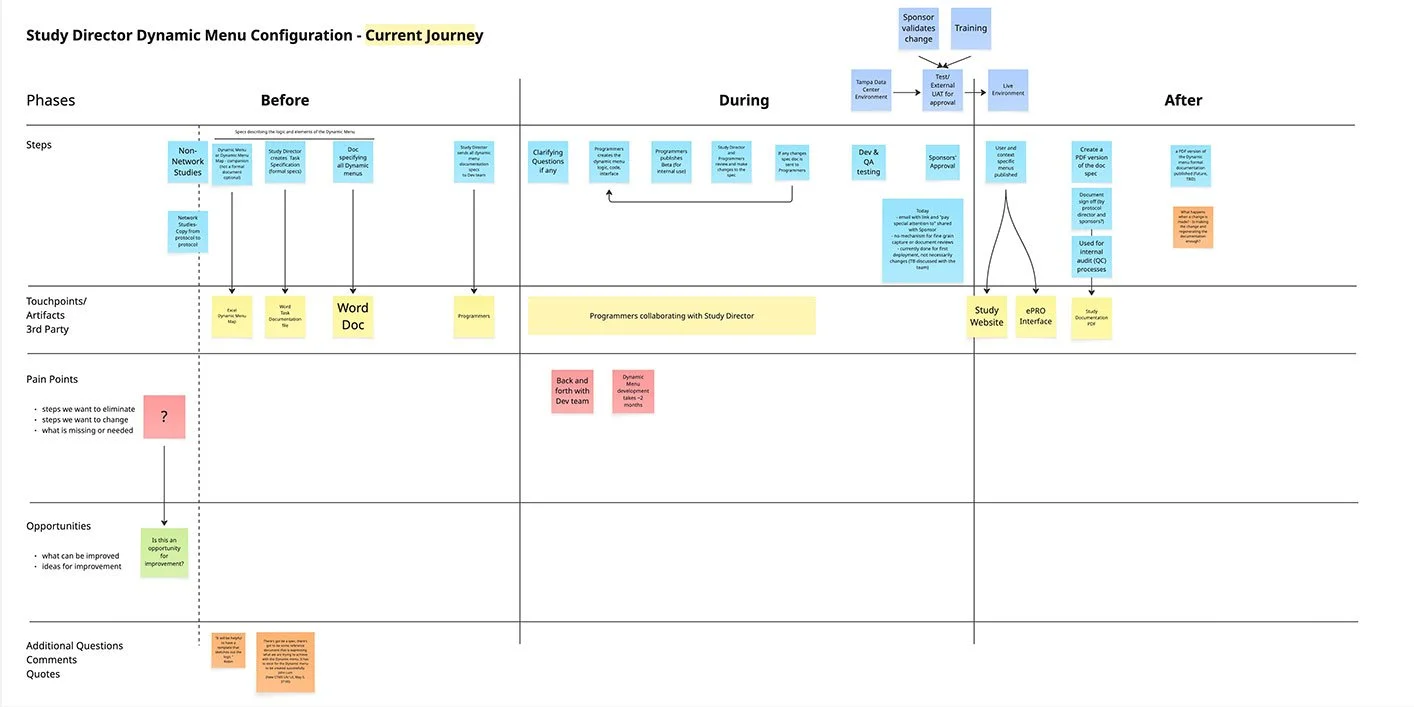
I led discovery workshops with stakeholders to understand the existing process, dependencies and pain points.
I led envisioning workshops with stakeholders to define a vision and constraints.
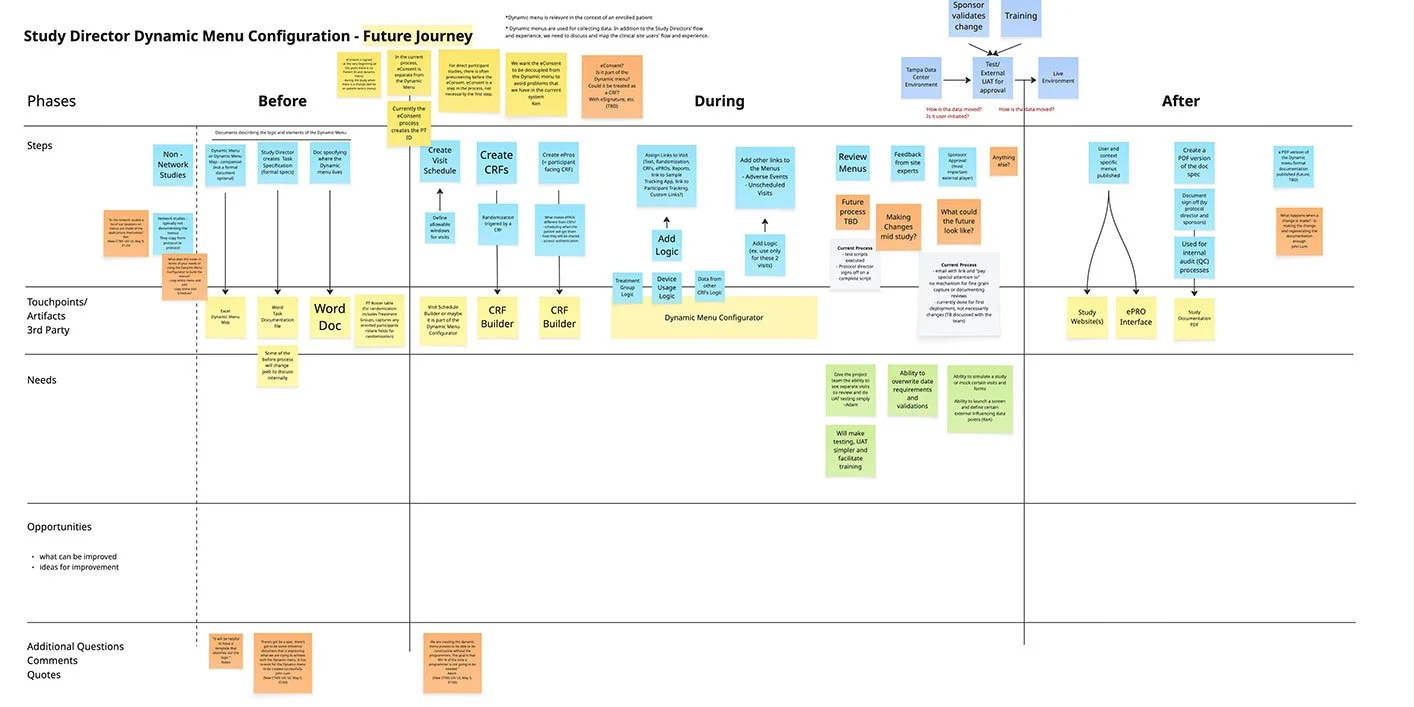
I led a discovery session to capture existing high-level use cases and logic components for the logic configuration.
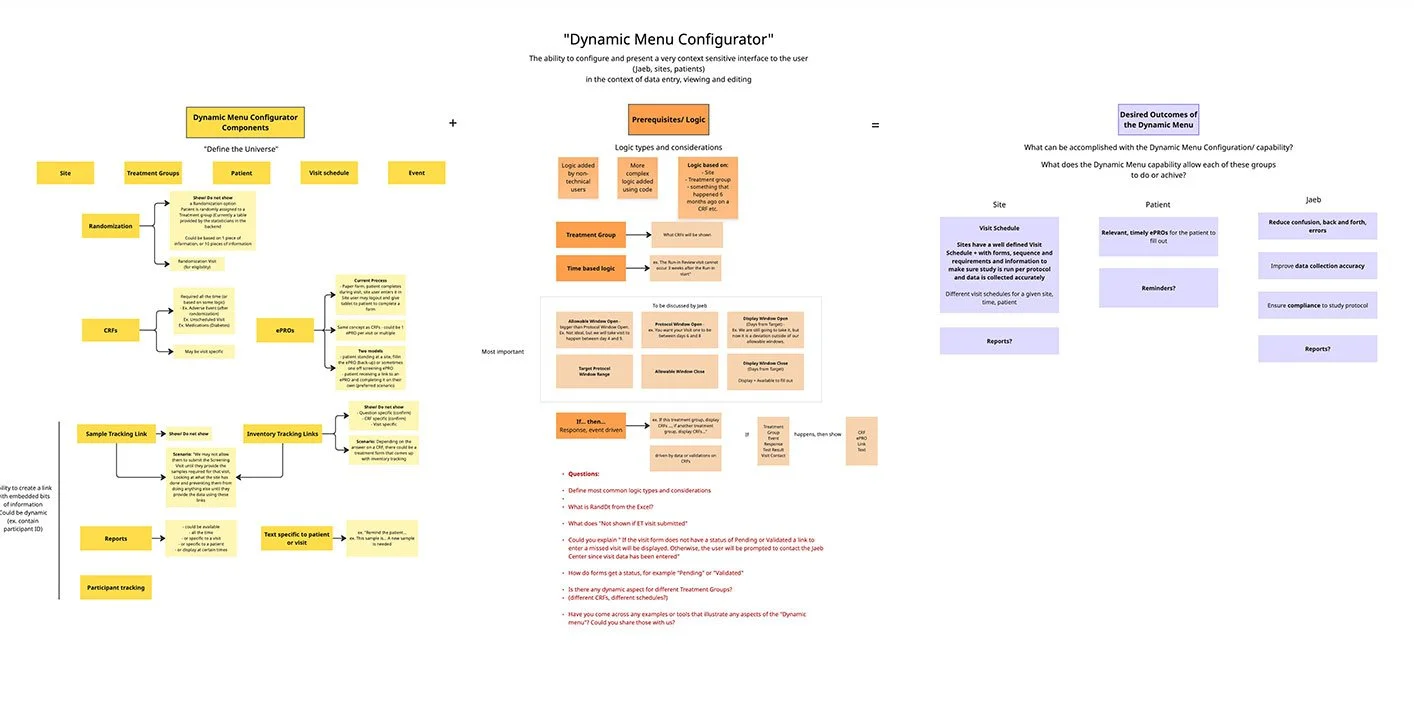
I created concept for the Logic Builder in context, which was reviewed and approved by the client for further exploration.
Led Logic Framework Definition & Product Strategy
Distilled complex document-based specifications into validated logic scenarios.
Translated logic scenarios into conditional logic framework
Drove alignment between stakeholders and engineering through prototyping
Task Specifications Analysis - I synthesized complex task specification documents for multiple studies to identify common logic scenarios and outliers (click to enlarge).

System Logic Analysis - I led a client workshop to identify built-in system logic to be excluded from the scope of the conditional logic builder (click to enlarge).

Building the Logic Framework - My detailed logic audit resulted in a list of common logic scenarios. I deconstructed each logic scenario to explore the “If…, then…” framework for user defined logic (click to enlarge).

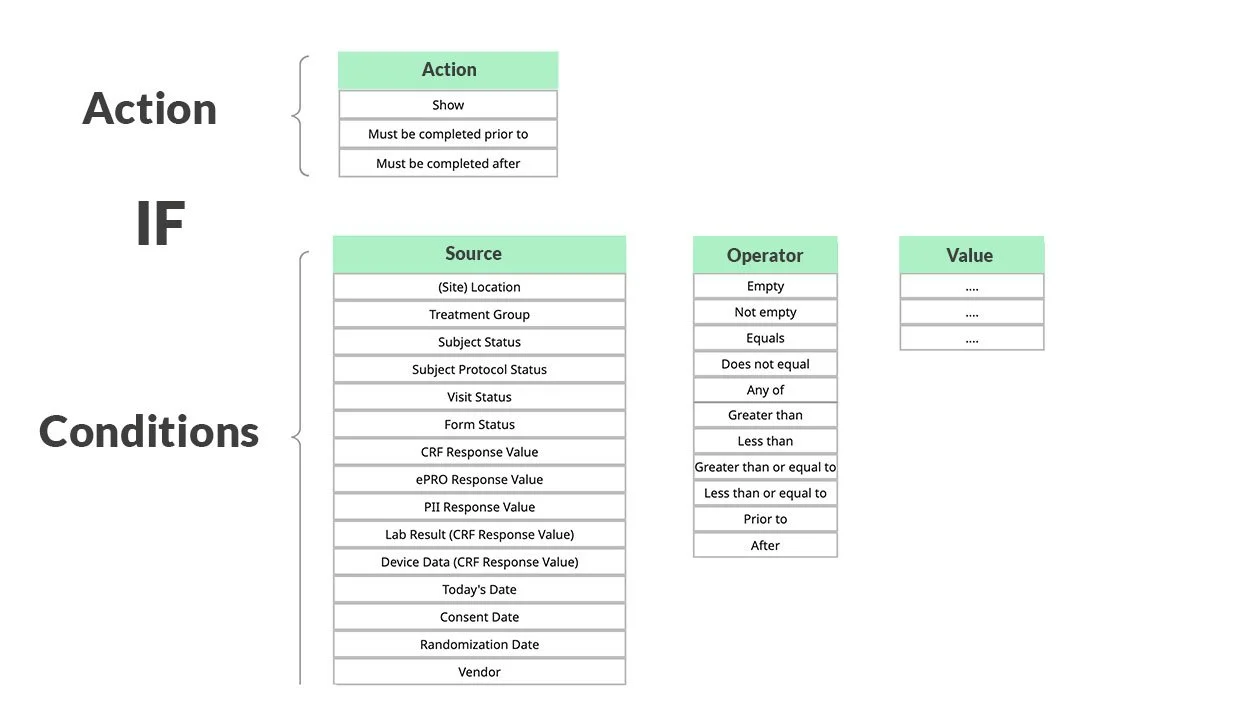
Driving alignment - I led collaborative sessions with the client and the engineering team to define and document an agreed-upon commonly used conditional logic pattern library (click to enlarge).

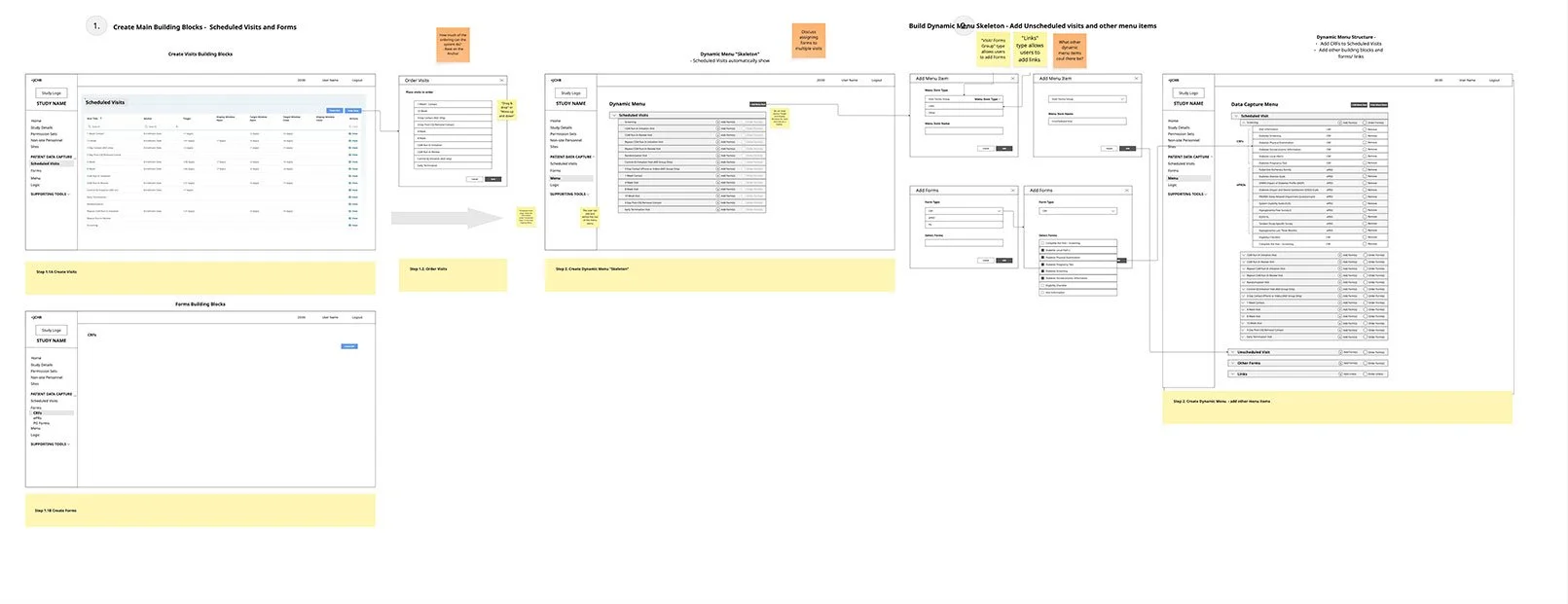
From concept to design direction - I led concept development and collaborated with the engineering team to assess the concept’s feasibility against the business requirements and technical constraints. The screenshots below are from a Miro board capturing the team’s analysis and questions.


Maximizing user experience, design consistency and engineering efficiency
Explored multiple prototypes to improve the user experience
Created AI-assisted prototypes to facilitate user feedback and cross-functional team alignment
Influenced the roadmap by flagging complexities
AI-assisted prototype (lovable.dev) helped bridge the gap between abstract concept and an actionable design direction, validating logic scenarios and testing the desirability and feasibility of the solution.
The AI-assisted interactive prototype allowed exploring:
Desirability & Feasibility
Logic scenarios
Nested conditions
Usability (Placement of buttons, naming conventions, interactions)
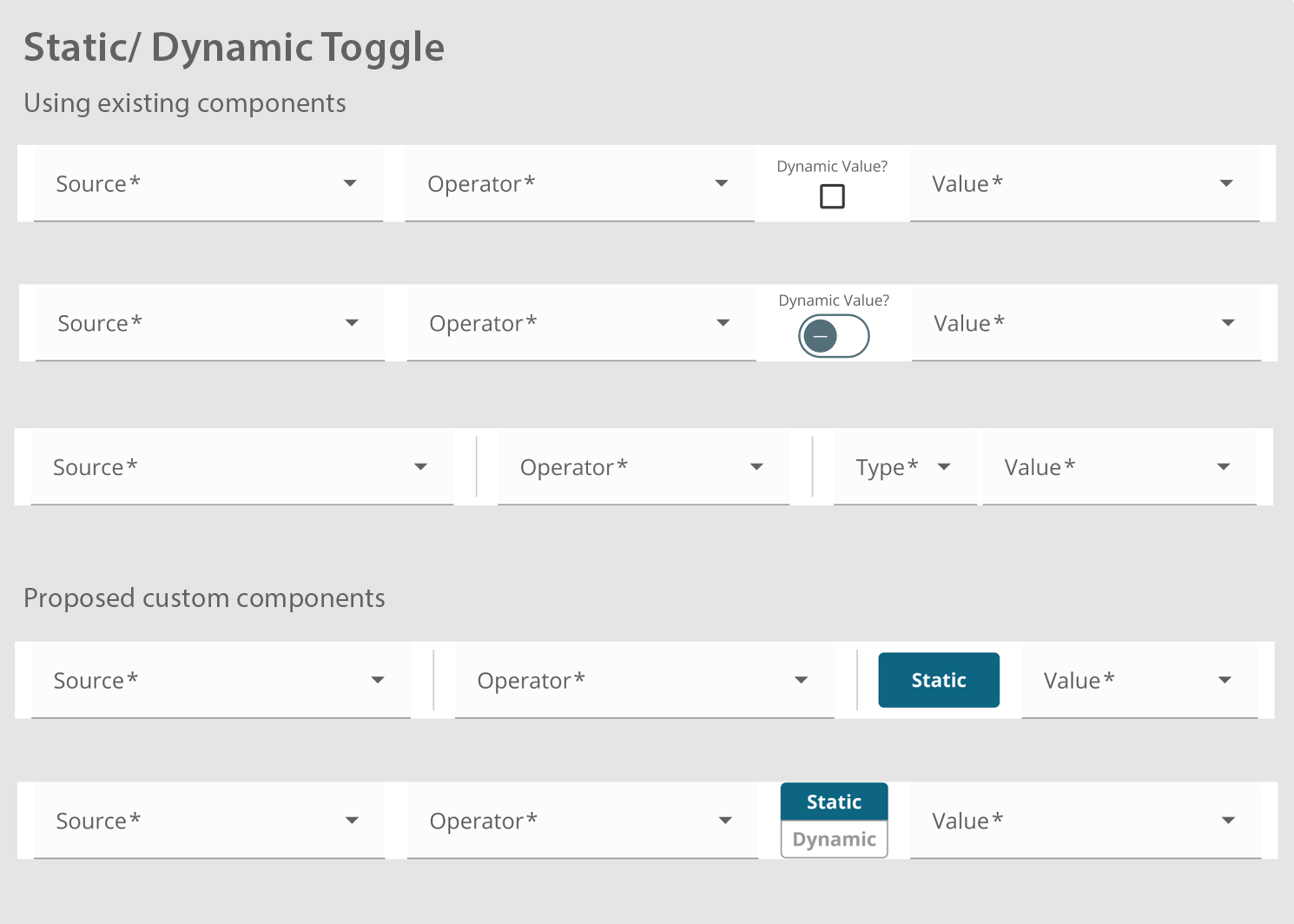
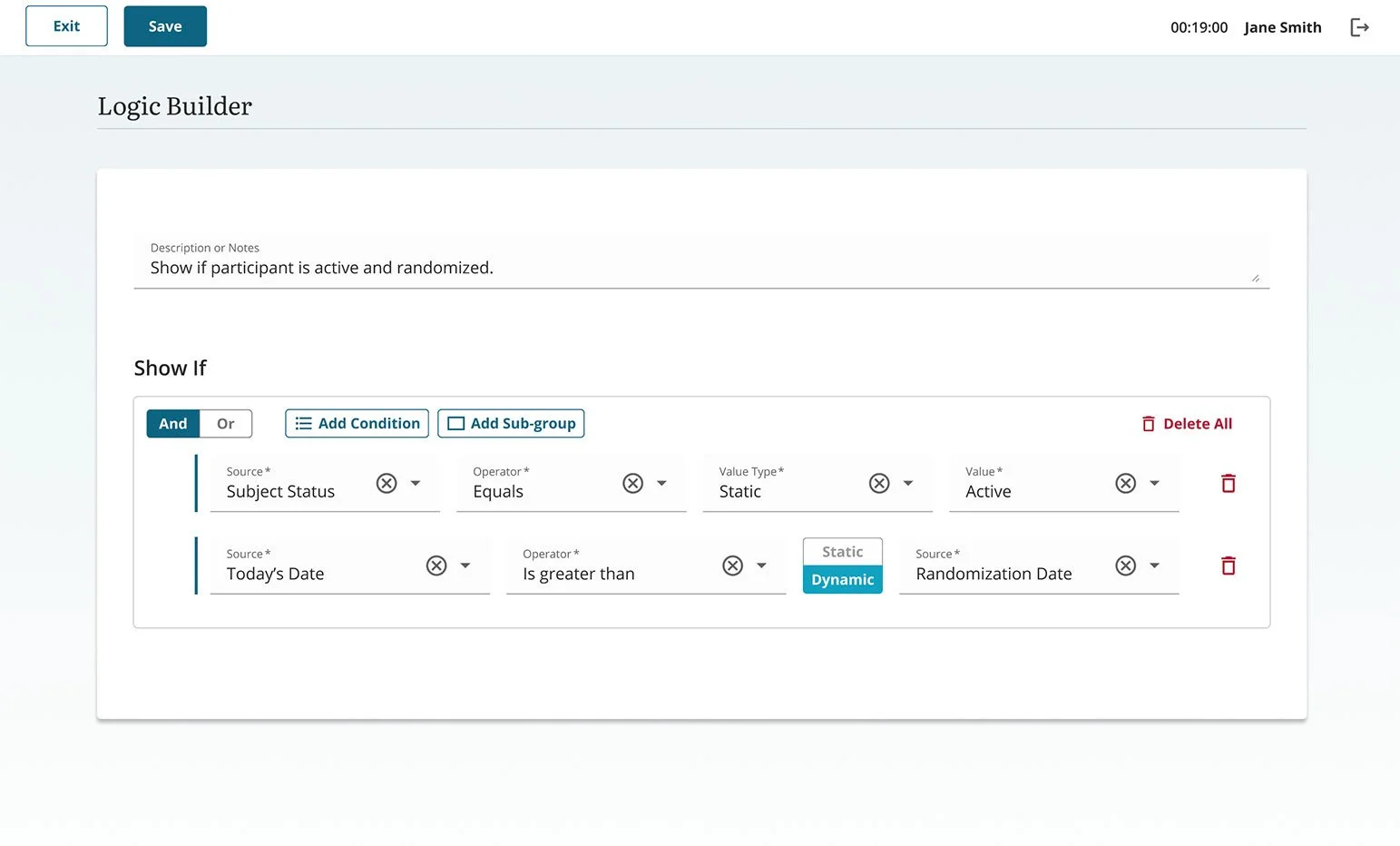
“Dynamic” vs. “Static” value options
Linking to elements that used conditional logic - visits, surveys, dynamic menu components
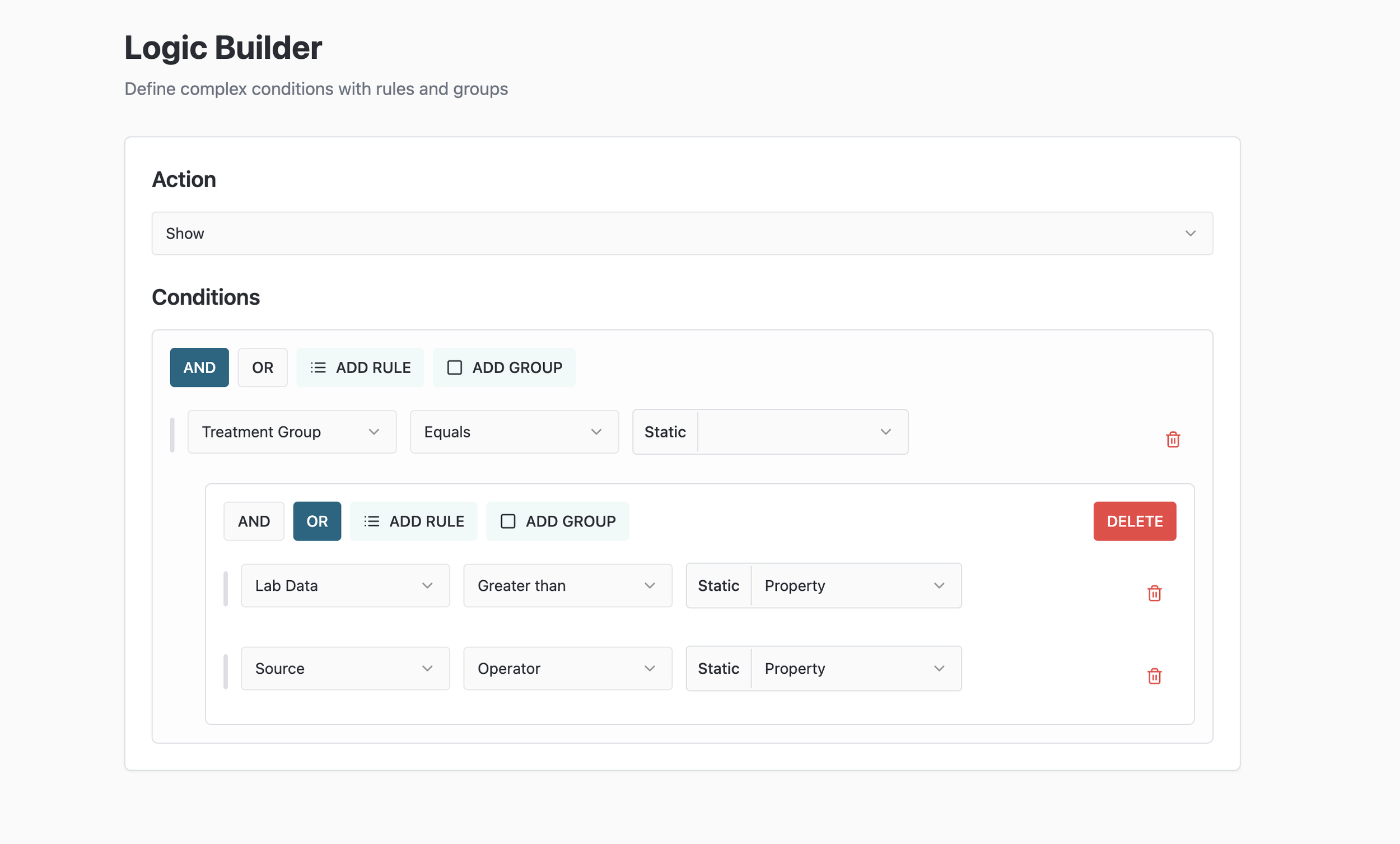
Component exploration - evaluation of existing design components and the need for a new component to be added to the Design System.
Final Figma prototype utilizing the JCHR’s Design System.
PROJECT STATUS
Logic Builder development was planned in two phases:
Phase 1 — covering simple conditions that required static values - was successfully completed.
Phase 2 - covering more complex conditions and dynamic values (based on data calculations or data coming from the online forms) was planned for later in the year.