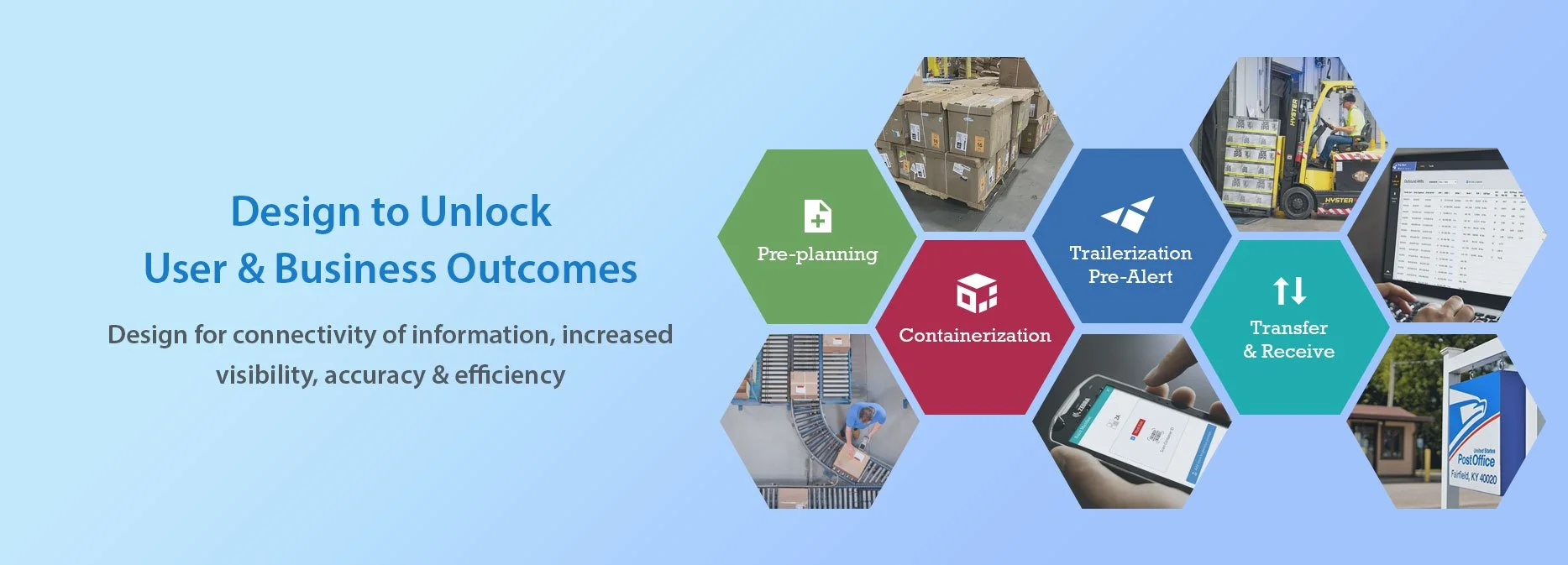
THE CHALLENGE
The Mail Innovations (MI) Department at UPS started a modernization initiative in 2019. Business processes, technologies and multiple applications were revamped to support a more efficient, accurate and fast processing and transportation of mail in the UPS network.
Because of the scope and complexity of the project teams faced the following challenges:
teams worked piecemeal without a shared vision
decision-making occurred in silos
return on long-term initiatives was difficult to see and track
OUTCOME-DRIVEN APPROACH TO DESIGN
Over the course of 3 years, I led the end-to-end UX/ UI design for a suite of 5 interconnected applications to support the modernized business processes. In addition to the application specific work, I helped the team think holistically and work strategically:
Identified and validated user and business problems that spanned individual applications.
Spearheaded a systems thinking approach and lead continuous research to enable holistic and strategic problem-solving.
Mentored the product triad to pivot from a feature delivery model to an outcome-driven roadmap.
Spearheaded the development of a strategic suite roadmap that ensured incremental value was delivered efficiently, maximizing teams’ velocity and allowing the business to see returns on long-term initiatives sooner.
Timeframe
2021 - 2024
Client
Mail Innovations, UPS
Role
Sr. UX/ UI Designer
CASE STUDY
Design for high-impact business and user outcomes
Research & Insights
Understanding the Context, Problems & Opportunities
Over the course of 3 years, in addition to UX research specific to each application, I conducted continuous research to:
Expand our context and deepen our understanding of the role of each application
Understand the overarching business pain points and objectives
Have a deeper understanding of the users of the suite and their needs
Think about the entire system and identify strategic opportunities
Construct a shared vision for the future
Understanding the Legacy Processes and Pain Points
The document captured the role of the legacy applications, the user and business pain points, and opportunities for improvement. It gave us a foundation for understanding and alignment. The conversations leading up to this document helped shape the vision for the future. (Click image to enlarge)

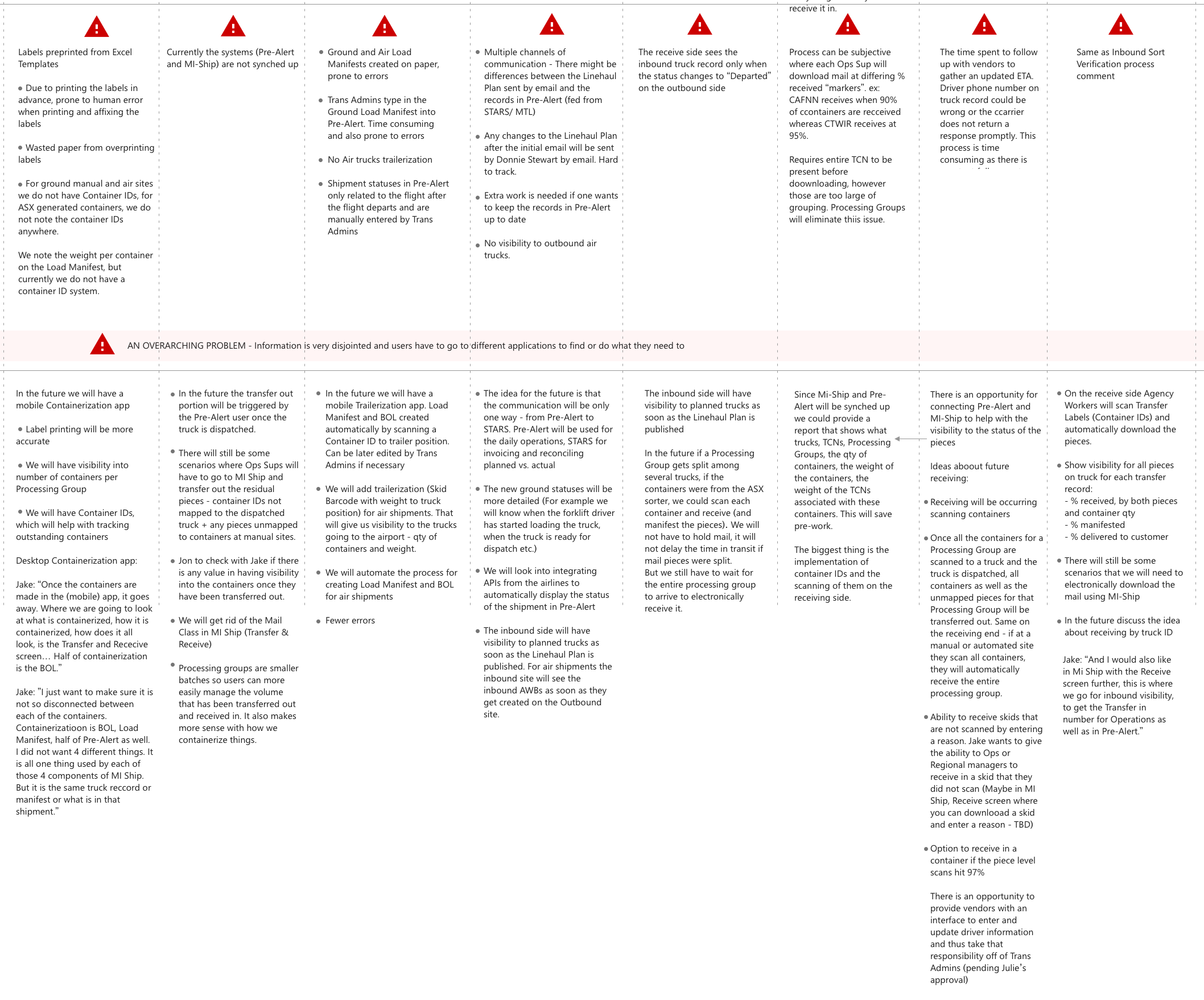
Legacy Pain Points and Opportunities (Detail)
Business and User Pain Points Identified
LACK OF CONNECTIVITY OF INFORMATION
Data inconsistencies
Applications not talking to each other
Lack of visibility
LACK OF VISIBILITY
Inability to communicate and report efficiently
Hard to trace missing or late mail
Inability to investigate errors
INACCURACIES
Due to manual input in various systems
Due to lack of connectivity of information
Due to multiple channels of communication
TIME CONSUMING PROCESSES
Manually created Load Manifests
Manual data entry
Outdated and unusable interfaces
Exploring the Concept of Business Value, Thinking Holistically
In addition to understanding the pain points, I discussed the relationship between the improvements in the operational processes, the high-level goals for each new or modernized application, and the business value all were intended to bring.

Bringing the Users Needs in the Discussions
I explored the users' needs in the context of the users' goals, responsibilities, current pain points, and ideas for future opportunities. Visibility Needs deserved a special place in the persona as it was reported as a primary pain point for multiple user types.
A persona for the Local Transportation Admin, one of three main user types of the future MI Ship Suite (a suite of 6 interconnected applications that supported the modernized processing, transportation, and reporting of mail between facilities in the UPS network (click to enlarge).

Identify Key Outcomes
The research and analysis I led identified the following business and user desired outcomes:
SPEED UP DELIVERY TIME
Streamline processes
Surface problems and facilitate problem-solving
User Outcomes
INCREASE VISIBILITY
Surface important information
Ensure users’ data needs are met at every stage of the process
Provide data cross-reference
INCREASE USABILITY OF APPS
Provide seamless navigation in the suite
Create cleaner and user-friendly interfaces
INCREASE EFFICIENCY
Optimize flows
Automate processes
Guide workflows and facilitate decision-making
INCREASE ACCURACY
Increase connectivity of information
Automate workflows and reduce human input to reduce inaccuracies and inefficiencies
Business Outcomes
REDUCE COST
Of labor and rework
Paper and printing
Design to Unlock Business & User Outcomes
Move from Piecemeal Requirements to a Holistic Vision
As I continued working on the UX research and prototyping for the second and third applications, I realized we no longer needed separate applications but a suite of interconnected applications that worked in synch to deliver the value the business was expecting.
Like building a puzzle, I started creating a vision for how the applications needed to work together, how the information would flow to support the new processes and provide the visibility needed.
Home page of MI Ship Suite. Users could easily move between applications with a single sign-in.
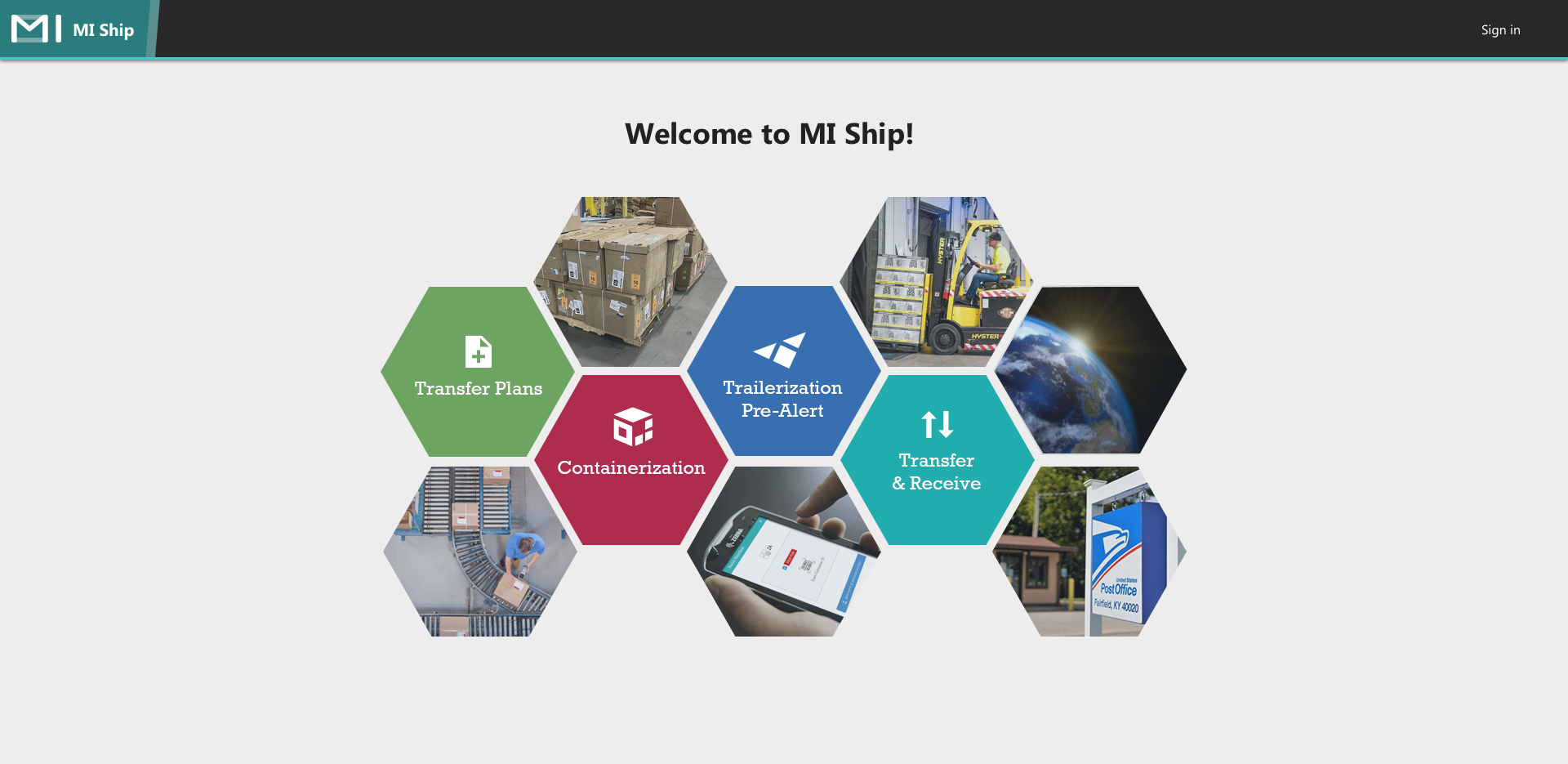
DESIGN A SUITE OF FIVE APPLICATIONS
Use single sign-in
Gather and present meaningful information as shipments progress through the system
Addressing the Need for Connectivity of Information
I challenged the 'one-app-at-a-time' mindset by introducing a high-level process map that became the foundation for alignment on business processes, data movement and visibility needed.
A high-level process map capturing the relationship between the applications and the connectivity of information. The map became our North Star.
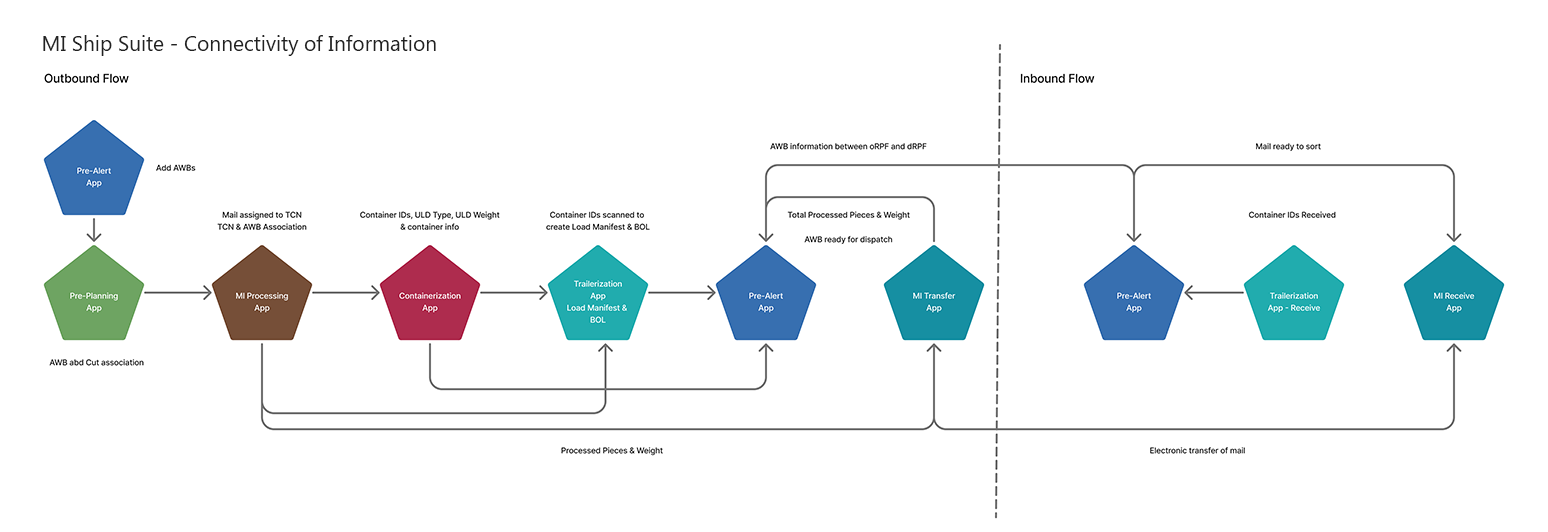
ENSURE CONNECTIVITY OF INFORMATION
Eliminate human input
Ensure seamless data flows
Ensure accuracy
Reduce Paper Waste and Human Input
Stop printing labels from Excel. Create a new application for creating Container IDs, recording container information and sharing container quantity, weight and status between origin and destination facilities.
Reduce human error.
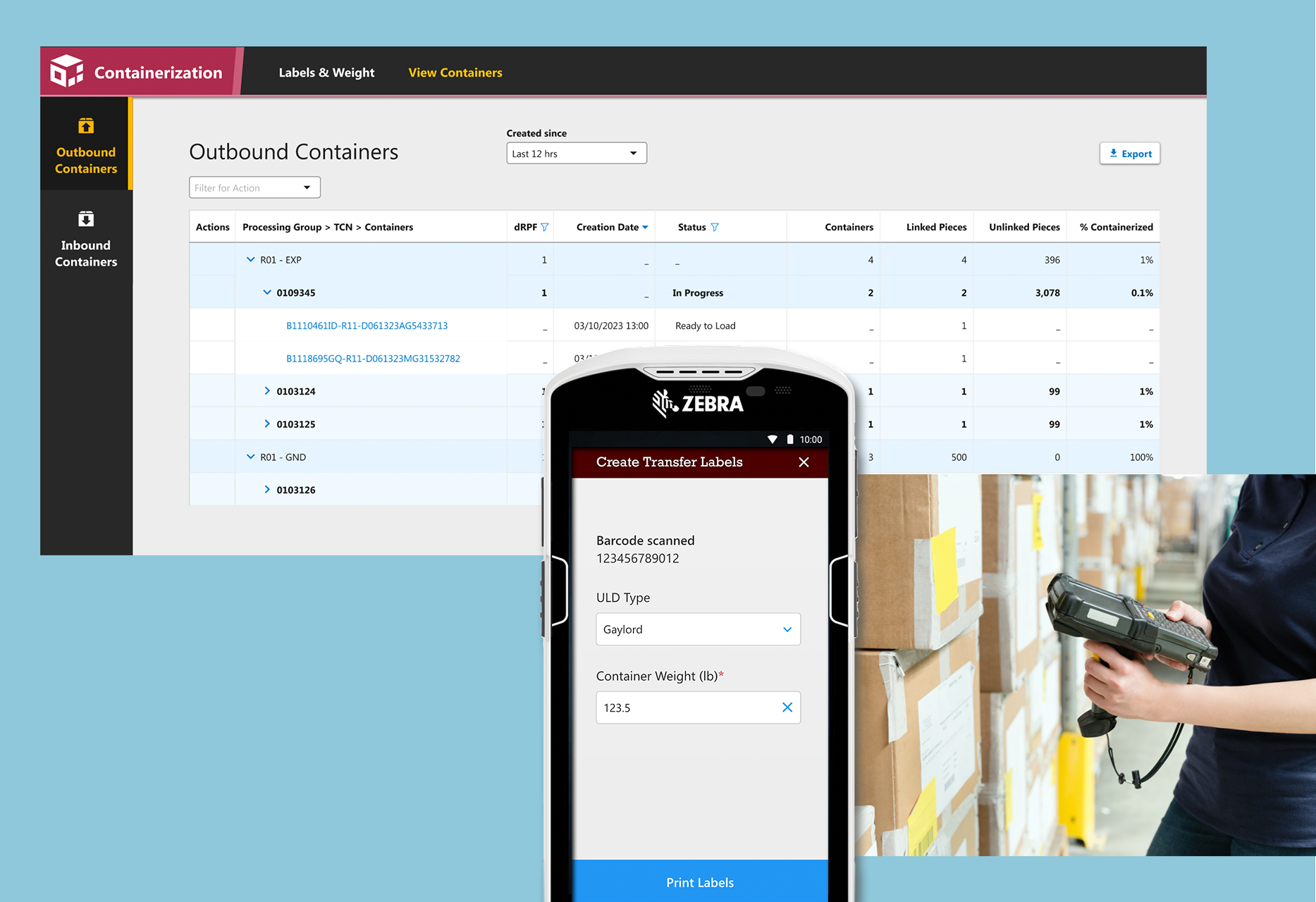
Containerization App (for desktop and mobile) allows creating Container IDs with associated container type and weight, and viewing created containers within a selected timeframe. Container Information is also shared with all apps in the suite.
PROVIDE MORE GRANULAR INFORMATION FLOWING SEAMLESSLY
Automate container labels creation
Capture more detailed information
Enable seamless flow of data between apps
Ensure user data needs are met at each touch point
Addressing the Need for Visibility and Usability
I interviewed transportation managers and operations supervisors and synthesized their visibility needs. In addition to understanding the intended business processes, I created data flow and user journeys maps which allowed us to design for the level of visibility needed, eliminate redundancies, and create focused user interfaces.
Example of the flow of information in the suite.
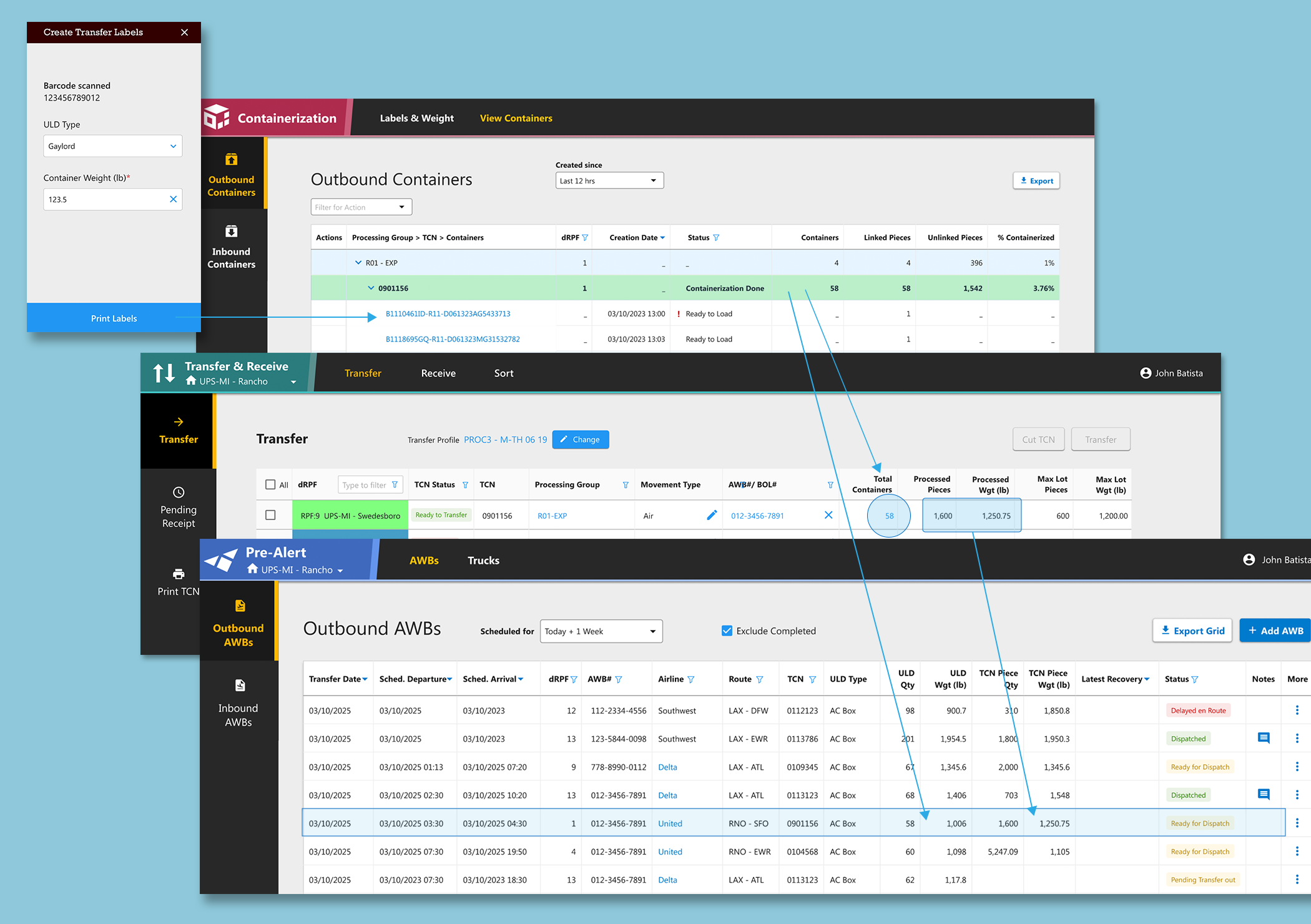
INCREASE VISIBILITY AND EASE OF USE
Applications share data seamlessly
Ability to zoom in and out for different levels of information
Meaningful and consistent shipment statuses drive attention and guide inquiry
Standardized user flows and interfaces
Eliminate Paper Load Manifests and Manual Info Entry
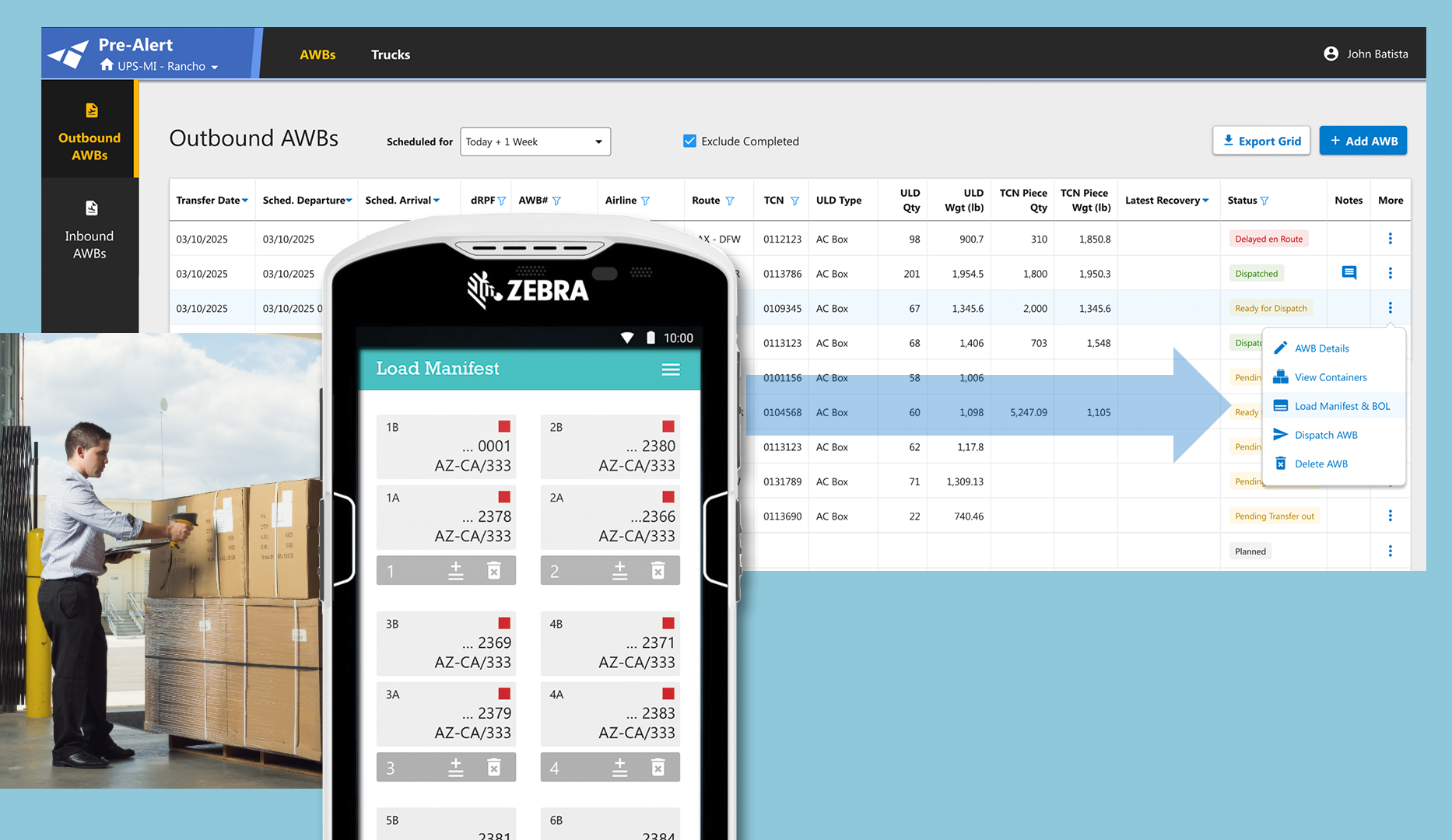
I worked with business stakeholders to design a new mobile application for forklift drivers to create Load Manifests by scanning Container IDs as they load the trailers.
An old process of creating Load Manifests by hand and keying in the information in one of the apps was eliminated.
Trailerization app automates the process of creating and sharing Load Manifests.
INCREASE ACCURACY & EFFICIENCY
Automatic Load Manifest creation by scanning Container IDs. Manual input is eliminated
Visibility across the network - both outbound and inbound facilities access the same real time information
Key Outcomes
WORKED WITH UNDERSTANDING
Teams defined meaningful goals
Teams worked with a vision and a plan
Teams worked with clarity and focus
DELIVERED MORE VALUE SOONER
We focused on outcomes
We understood dependencies
Planned for incremental value delivery
SAVED TIME AND MONEY
By reducing rework
Eliminating confusion
Delivering value sooner